Guides
Practical technology help for small business owners and teams.
-

The Essential Software Stack for a New Small Business (2026)
A practical guide to the core software every new small business actually needs — organized by job to be done, with what to look for in each category.
-
Small Business Cybersecurity: A Plain-English Checklist for Non-Techies
You don't need an IT degree to protect your business. This plain-English checklist covers the security basics that stop the vast majority of attacks on small companies.
-

Managing Your Business Software Subscriptions (Before They Manage You)
How subscription creep drains small business budgets, how to audit and clean up what you're paying for, and how to keep it under control going forward without a spreadsheet you'll abandon in a month.
-

Setting Up a Printer and Scanner for a Small Office
How to choose the right printer for your business needs, set it up for the whole team to use wirelessly, and avoid the common mistakes that make office printers a constant headache.
-

Customer Support Software for Small Business: When You Need It and What to Get
When your support email stops working well, what customer support software actually does, and how to choose the right starting point without buying an enterprise platform you'll never grow into.
-

Google Analytics for Small Business: What to Actually Pay Attention To
Google Analytics has a lot of numbers. Here's which ones matter for a small business website, how to read them without getting lost, and how to use what you learn to make better decisions.
-

The Annual IT Review Every Small Business Should Do
A once-a-year review process for your small business IT — covering software costs, hardware status, security posture, and the changes that would improve your setup in the year ahead.
-

How to Set Up a Shared Inbox for Your Small Business Team
When customer emails to info@yourcompany.com need more than one person to manage them — how shared inboxes work, which tools handle them best, and how to avoid the chaos of everyone seeing but nobody owning.
-
Running a Basic IT Security Audit on Your Small Business (Without a Consultant)
A self-guided security audit checklist for small businesses — covering accounts, devices, network, data, and physical security — that you can complete in an afternoon.
-

How to Troubleshoot a Slow Business Computer
A step-by-step guide to diagnosing and fixing a slow Windows or Mac computer — common causes, what to check first, what you can fix yourself, and when it's time for a replacement.
-
USB-C and Docking Stations for Small Business: A Plain-English Guide
How USB-C and docking stations work, what to look for when buying one, and how to set up a clean desk workspace that connects your laptop to everything with one cable.
-

Setting Up a CRM for Your Small Business: A Step-by-Step Guide
How to get a CRM configured and actually used by your team — choosing the right tool, importing contacts, setting up pipelines, and building the habits that make CRM data valuable.
-

Social Media Scheduling Tools for Small Business: What's Worth Using
A practical comparison of social media scheduling tools for small businesses — what each one does, what it costs, and whether you actually need one or just a better posting habit.
-

Choosing Website Hosting for Your Small Business
The difference between shared, VPS, and managed hosting — what each means in practice, how much you actually need, and how to avoid overpaying for specs that don't matter for your business.
-
Writing a Simple Disaster Recovery Plan for a Small Business
How to create a practical disaster recovery plan that covers the realistic scenarios your business faces — without the complexity of enterprise DR planning.
-

Choosing a Monitor for Business Use: What Actually Matters
A plain-English guide to choosing monitors for business workstations — the specs that matter, the ones that don't, and recommendations at different price points.
-

Why Your Business Emails Go to Spam (And How to Fix It)
The technical and practical reasons business emails land in spam folders, what SPF, DKIM, and DMARC actually do, and how to diagnose and fix deliverability problems without needing an IT degree.
-

Going Paperless: Document Management for Small Businesses
How to stop drowning in paper and build a simple digital document management system — what to scan, how to name files, what to keep, and the tools that make it sustainable.
-
IT Policies Every Small Business Should Have (Written Down)
The IT policies that protect your business legally and operationally — written in plain English for teams that don't have an IT department or legal team but still need clear rules.
-

Automate Repetitive Tasks in Your Small Business with Zapier
What Zapier actually does, which small business tasks are good candidates for automation, and five starter automations you can set up in under an hour.
-

Payroll Software for Small Business: What to Use and How to Set It Up
A practical comparison of payroll software options for small businesses — what each does, what it costs, and how to get set up correctly so you don't make expensive mistakes.
-

The IT Checklist for Offboarding an Employee
A complete IT checklist for when an employee leaves your small business — account deactivation, data transfer, device recovery, and the security steps that are easy to miss in the rush of a departure.
-

How to Build a Small Business IT Budget
A practical guide to planning what you'll spend on technology — covering the must-haves, the optional upgrades, and how to think about IT as an investment rather than just a cost.
-

Best Video Conferencing Tools for Small Business in 2025
Zoom, Teams, Google Meet, and the rest — what each one actually costs, what it does well, and how to pick one without paying for features your team will never use.
-

SEO Basics for Small Business Websites: What Actually Moves the Needle
A practical guide to search engine optimization for small businesses — the fundamentals that drive local and organic search traffic without requiring an agency or deep technical knowledge.
-

AI Tools for Small Business: What's Actually Useful Right Now
A practical guide to AI tools that deliver real value for small businesses today — writing, customer service, image generation, and automation — without hype or tools that aren't ready for business use.
-

Should Your Small Business Upgrade to Windows 11?
A plain-English assessment of whether upgrading to Windows 11 makes sense for your business right now — what's actually different, what the hardware requirements mean, and how to upgrade without disrupting your team.
-

Scheduling Software for Small Business: Options and How to Choose
A comparison of appointment scheduling and team scheduling tools for small businesses — what each does, what it costs, and how to pick the right one for your situation.
-

Phishing Training for Small Business Teams: What Actually Works
How to teach your team to recognize and avoid phishing emails without expensive training software — what to cover, how to make it stick, and what to do when someone does get fooled.
-
Digital Document Signing for Small Business: Tools, Legality, and Setup
How to set up digital document signing for contracts, proposals, and agreements — the legal status of e-signatures, which tools to use, and how to configure them correctly.
-

Setting Up Remote Work for a Small Team: The Practical Guide
The tools, policies, and habits that make remote or hybrid work actually functional for a small business — from communication norms to security basics to keeping people connected.
-
Microsoft 365 Admin Basics: The Settings Every Small Business Admin Should Know
The most important Microsoft 365 admin settings for small businesses — security defaults, user management, Teams configuration, and the controls that prevent common problems.
-

CRM for Small Business: A Beginner's Guide
What a CRM actually does, whether your small business needs one, which ones work without a dedicated sales team, and how to set one up without buying more than you need.
-

How to Build a Hardware Refresh Plan for Your Small Business
A systematic approach to planning computer and hardware replacements — so you're never surprised by a failing machine and never overspending on equipment that didn't need replacing.
-

How to Run a Cyber Security Audit on Your Small Business
A practical, self-guided security audit for small businesses that don't have an IT department — covering accounts, devices, network, software, and people. Takes about half a day to complete.
-

Choosing and Setting Up a Business Phone Number
How to get a dedicated business phone number — options from simple to sophisticated, what each costs, and how to set up voicemail, routing, and call forwarding correctly.
-

The Small Business Owner's Guide to Cloud Storage
How cloud storage actually works for small businesses, which service is right for your situation, how to organize your files so people can find them, and what cloud storage doesn't protect you from.
-

Setting Up Accounting Software for a Small Business: A Practical Guide
How to get your accounting software configured correctly from the start — chart of accounts, bank connections, invoicing, and the setup decisions that prevent problems at tax time.
-

How to Automate Your Small Business Invoicing
Stop manually sending invoices, chasing payments, and sending reminders. Here's how to set up automated invoicing that handles the repetitive billing work while you focus on everything else.
-

Team Communication Tools for Small Business: Slack, Teams, or Something Simpler?
A practical comparison of team messaging tools for small businesses — what each does well, what it costs, and how to avoid the trap of adding a tool that creates more noise than it solves.
-

Choosing a POS System for a Small Retail Business
What to look for in a point-of-sale system for a small shop or boutique — hardware, software, payment fees, and the questions to ask before you commit.
-

Data Recovery for Small Businesses: What to Do When Files Are Lost or Deleted
A practical guide to recovering lost, deleted, or corrupted files — from the free built-in tools to when you need professional recovery services, and how much it costs.
-
Google Workspace Admin Basics: The Settings Every Admin Should Configure
A practical guide to the most important Google Workspace admin settings for small businesses — security, user management, and the configurations that prevent common problems.
-

Understanding Business Internet Plans: What to Actually Look For
The difference between residential and business internet, what the specs actually mean, how much speed you need, and how to avoid overpaying for features you don't need.
-
Antivirus and Endpoint Protection for Small Business: What You Actually Need
A plain-English comparison of antivirus and endpoint protection options for small businesses — what the different tiers protect against, what you can skip, and what's genuinely worth paying for.
-

How to Set Up Two-Factor Authentication Across Your Business
A step-by-step guide to rolling out two-factor authentication on your most important business accounts — what to prioritize, which apps to use, and how to avoid locking yourself out.
-
Setting Up Professional Email Signatures for Your Whole Team
How to create consistent, professional email signatures across your team — what to include, tools for managing them centrally, and the common mistakes that make signatures look unprofessional.
-

The 5 Software Categories Every Small Business Needs
Most of the 50-tool lists you read are selling you things you don't need. Every small business actually needs exactly five categories of software, and in most cases one solid tool per category is enough.
-

Password Managers for Small Business: Setup Guide and Top Picks
Why every small business needs a password manager, which ones work best for teams, and how to get your whole office using one without a painful rollout.
-
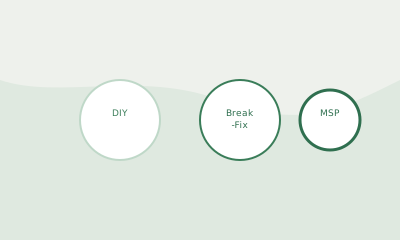
IT Support Options for Small Businesses: DIY, Break-Fix, or MSP?
How to choose between handling IT yourself, calling a repair shop when something breaks, or hiring a managed service provider — with honest assessments of cost and what each approach actually delivers.
-

How to Choose a Business Phone System (VoIP Made Simple)
VoIP business phone systems can save you money and add features, but the options are confusing. Here's how to choose one that fits a small business without overpaying or overcomplicating.
-

Setting Up a Home Office for Professional Video Calls
How to set up your home workspace for video calls that look and sound professional — lighting, camera, microphone, and background decisions that make a real difference.
-
Cyber Insurance for Small Business: What It Covers and Whether You Need It
A plain-English explanation of cyber insurance — what it actually covers, what it doesn't, how much it costs, and how to decide whether your business needs it.
-

Google Workspace vs Microsoft 365: A 2025 Decision Guide for Small Businesses
The real differences between Google Workspace and Microsoft 365 for small business — beyond the feature list, what matters for how your team actually works day to day.
-
Why Your Backup Might Not Work (And How to Find Out Before It's Too Late)
Most small business backups have never been tested. A backup that's never been restored from is a hope, not a guarantee — here's how to verify yours actually works.
-

The IT Checklist for Onboarding a New Employee
Everything you need to set up for a new hire on their first day — from accounts and devices to security and communication tools — so nothing falls through the cracks.
-
Small Business Website Basics: What You Need and What You Can Skip
A clear-eyed guide to what a small business website actually needs — platform choices, must-have pages, domain and hosting decisions, and the common mistakes that waste time and money.
-

How to Secure Your Small Business Wi-Fi Network
Simple, practical steps to lock down your office Wi-Fi so it doesn't become an easy entry point for attackers — covering router settings, guest networks, and what actually matters.
-

Setting Up a Small Business Network: What You Actually Need
A plain-English guide to setting up a reliable office network — the hardware you need, how it connects, and the configuration decisions that prevent problems down the road.
-

QuickBooks vs Wave vs FreshBooks: Which Is Right for Your Small Business?
A no-nonsense comparison of the three most popular accounting tools for small businesses — what each does well, what each costs, and how to choose without overcomplicating it.
-

Laptop vs. Desktop for Small Business: How to Decide What to Buy
A practical comparison for small business owners choosing between laptops and desktops — factoring in mobility needs, budget, lifespan, and the work your employees actually do.
-

A Plain-English Guide to Setting Up a Business VPN
What a business VPN actually does, when you need one, what you don't need to worry about, and how to set one up without getting lost in technical jargon.
-

Setting Up Professional Email for Your Small Business: The Complete Guide
How to move from a free Gmail or Yahoo address to a professional business email — domain setup, choosing a provider, and configuring everything correctly the first time.
-

Cloud Backup for Small Business: What You Actually Need
A plain-English guide to backing up your business data — which files need protecting, what backup options actually work, and how to avoid the mistake of thinking you're backed up when you're not.
-

How to Set Up Microsoft 365 for a 10-Person Team
A step-by-step guide to getting Microsoft 365 Business configured for a small team — from initial setup through email, Teams, SharePoint, and the security basics you shouldn't skip.
-

The Best Project Management Tools for Small Businesses in 2025
A practical comparison of the project management tools that actually work for small teams — what each one is good for, what it costs, and how to pick the right one without overbuying.